Free practice tool from Rotem
Slow a line down and keep the tab in front of you
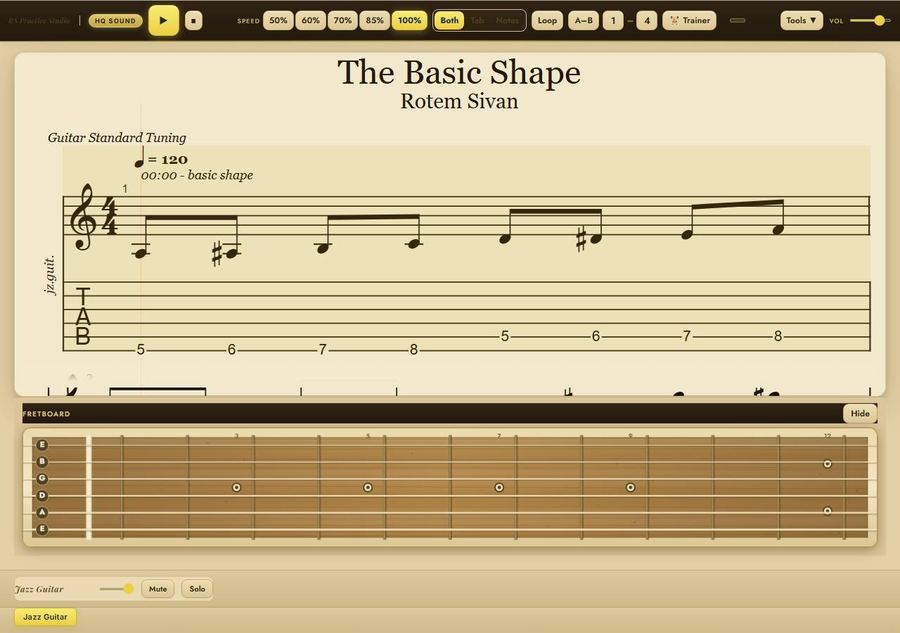
Notation, tab and a fretboard view on one screen, with speed buttons from 50% to 100% and a loop for the bars that won't sit under your fingers yet.
Get Guitar Pro Player
Tell us where to send it. It opens in your browser.
We'll email you the link, plus a few practice ideas from Rotem. Unsubscribe anytime.
Here's your Guitar Pro Player,
It opens in a new tab. Bookmark it so it's there next time you practice.
Open Guitar Pro PlayerWe also emailed you the link.
What it does
- See the music as notation and tab together, or switch to either one.
- A fretboard under the music shows where the notes sit on the neck.
- Play it at 50, 60, 70, 85 or 100% speed.
- Loop the whole piece or just the bars you pick. The Trainer button loops those bars and raises the tempo 5% every 3 passes until it's back at full speed.
- Open Tools to change the key, add a count-in, swap the sound (jazz guitar, Rhodes or trumpet) and zoom.
It opens with one of Rotem's lines, The Basic Shape, ready to play.
Who made this
Rotem Sivan is a New York jazz guitarist and educator. He's from Israel and studied at The New School.
If you want to go further
If the fretboard view is the part you keep staring at, Unlocking the Fretboard maps the neck in C major and A minor: the scale in five positions, seven positions three notes per string, the pentatonic in all five, and triads and 7th chords across the board. Everything's written in notation and tab.
See Unlocking the Fretboard